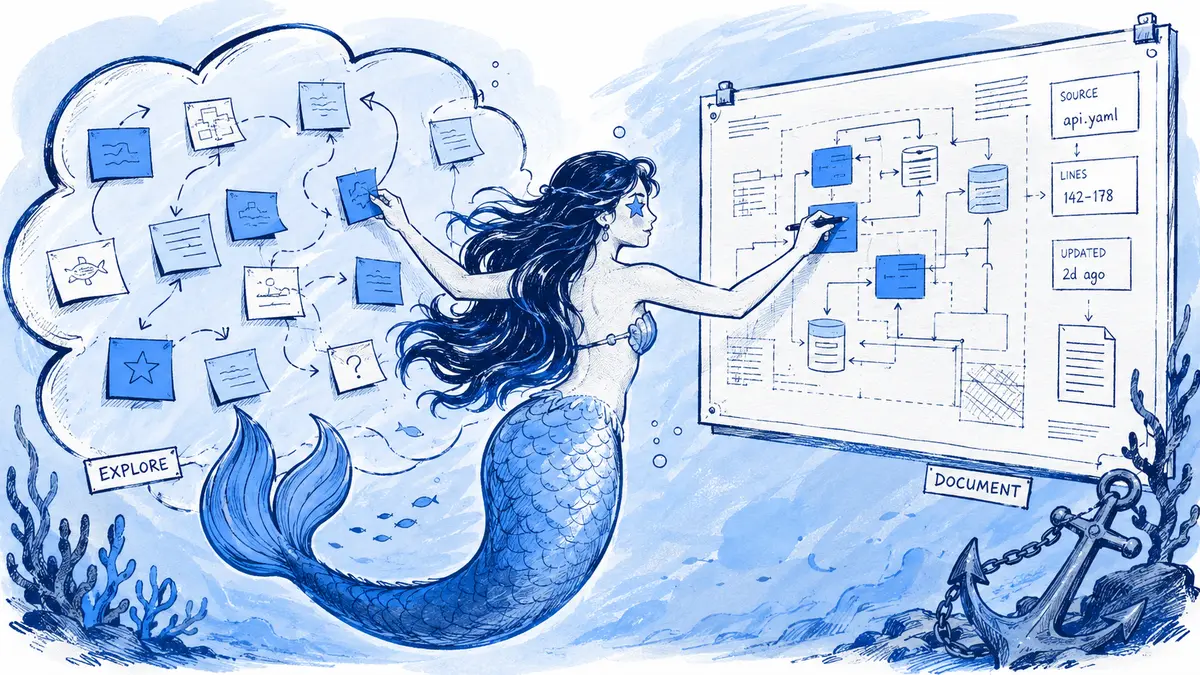
Mermaid and visual whiteboards overlap, but they are not the same kind of tool. Mermaid is a text syntax for describing diagrams; a whiteboard is a collaborative canvas for placing and rearranging objects. Use Mermaid when a technical diagram needs a reviewable source that can live with code or documentation. Use a whiteboard when people are still discovering the structure and need to move ideas freely. Miro now connects the two with Mermaid-based diagrams, though its visual editing support is still in beta and limited by diagram type.
Direct answer: For an engineering team, choose based on what must happen after the diagram is first drawn. If the team needs spatial brainstorming, voting, or exact hand-arranged layout, start in a whiteboard. If it needs to review relationship changes as text and maintain a source in a repository, use Mermaid. If the decisions happen in Slack, decide where the accepted source and revision history should live; a shared board link alone does not answer that.
Compare budget and workflow with the same test
A fair choice should survive the same small test in each candidate: ask a team to sketch a flow, revise one relationship after discussion, then check where the editable source and previous version live. Compare five things: who can make the first draft, whether people can position objects freely, how a source change is reviewed, whether Slack only shares a link or hosts the follow-up discussion, and which Mermaid diagram types are editable. This makes the recommendation reproducible without treating a feature list as a hands-on product test. The comparison below is a desk review of vendor documentation; the protocol is for readers to validate in their own accounts.
Cost drivers differ by workflow: Figma and Miro can scale with paid seats, while Arialine Team is priced per Slack workspace. Prices below are USD list prices checked September 29, 2026; taxes, negotiated rates and plan eligibility can change the total.
| Workflow | Published price example | Cost driver to check |
|---|---|---|
| Mermaid source and Mermaid CLI in Git | No Mermaid software license fee; the Mermaid CLI is open source. | Someone still owns the build, hosting, and Slack-posting steps if those are automated. |
| FigJam through Figma | Figma lists Professional seats at $3 per month for Collab and $16 per month for Full when billed annually; ten Collab seats total $360 per year ($30 per month equivalent). The Figma billing guide explains that the bill depends on seat type and billing term. | Confirm the billing selection and whether collaborators need only FigJam or broader Figma access. |
| Miro | Starter is $8 per member per month and Business is $20 per member per month when billed yearly. | Ten paid members work out to $80 or $200 per month respectively, before tax; every paid member affects the bill. |
| Lucidchart | Lucid lists its Individual plan at $9 per month plus tax; team and enterprise plans have different terms. | Compare the plan for the number of editors and required diagram features; do not treat individual pricing as a team quote. |
| Arialine | Free covers up to three boards; Team is $79 per Slack workspace per month plus tax, with a $756 annual option. | For a 10-member workspace, Team is $79 monthly or $756 annually before tax; member count does not multiply the plan price. |
These are starting points, not feature-equivalent bundles. A whiteboard subscription may also cover facilitation and other board work, while Arialine is for a diagram workflow in Slack. Figma’s displayed price depends on the selected billing cycle and seat type; Lucid’s Individual price is not a team quote. Check the linked plan details before budgeting.
Mermaid and a whiteboard solve different parts of the job
Mermaid turns text descriptions into diagrams. A source file can describe nodes, labels, and connections; a compatible renderer creates the picture. When that source is stored in Git, reviewers can inspect text changes alongside code. The diff helps show which relationships were edited, but a person still has to check whether the new relationships are true.
A whiteboard such as Miro or FigJam is built around a spatial canvas. Participants can place and move stickies, shapes, images, and connectors while they explore. FigJam documents stickies, shapes and connectors as core board objects, as well as activities such as voting; Miro's workshop guide describes freeform collaboration, templates, and facilitation features. Those controls make a whiteboard useful before the team knows which structure it wants to keep.
| Question | Mermaid source workflow | Visual whiteboard workflow |
|---|---|---|
| What is the starting point? | Write or revise a textual description of nodes and relationships | Place notes, shapes, and connectors on a canvas |
| How are changes reviewed? | Review source edits; Git can diff a source file stored in a repository | Review the board and its comments or history using that product's features |
| How much layout control is there? | Direction and supported layout options are configurable, but the renderer still arranges nodes | People can position objects directly; layouts are not constrained to Mermaid syntax |
| Who can contribute easily? | Readers can inspect the rendered diagram; writing syntax takes practice | Workshop participants can contribute without editing code |
| Where is the authoritative copy? | Wherever the Mermaid source and its review process are maintained | In the board service and its access model |
The distinction is not absolute. Miro's current Mermaid diagram feature keeps Mermaid source connected to rendered board content. Check the exact feature limits before choosing it as the long-term home.
When Mermaid is the better fit
Choose a Mermaid source workflow when the diagram describes a system or process that will change through code review or technical discussion. It is especially useful when:
- a pull request should show the diagram change next to the implementation change;
- a team wants to reuse the same source in compatible docs, repositories, and diagram renderers;
- the diagram's content matters more than exact placement of each shape;
- small edits are easier to inspect as changes to named nodes and edges than as a series of canvas manipulations.
Mermaid still uses automatic layout. Its official layout documentation lists algorithms and configuration options, but these apply only to supported diagram types and do not turn Mermaid into a free-positioning canvas. If a particular box must be placed at exact coordinates for a presentation, a visual editor is a better fit.
A Mermaid file also does not prove that its diagram matches deployed software. A syntactically valid edge can still be wrong. For architecture views, label the status as proposed, target, or deployed to a named environment. If you call a view current, record the environment and the revision or verification time, then check its relationships against the appropriate decision record, code, configuration, or runtime evidence.
When a visual whiteboard is the better fit
Use a whiteboard while the participants are still asking what belongs in the model. A facilitator can collect different possibilities, cluster them, vote, and rearrange the result before anyone commits to a formal view. It also suits retrospectives, journey maps, service blueprints, and diagrams whose audience needs custom spatial emphasis.
A whiteboard is not inherently temporary or inaccurate. It can be the maintained source if the team assigns an owner and reviews it when the represented system changes. The trade-off is that teams looking for text diffs or a Mermaid file need to check what their particular board workflow exports and preserves; a picture export alone does not carry the same editable Mermaid source.
Miro and Lucid blur the boundary in different ways
Miro's structured Mermaid diagrams are currently labeled Beta. Its documentation says Mermaid and the rendered diagram can be edited in sync, but the support matrix separates rendering from visual editing: flowcharts render as native Miro shapes and are visually editable now; sequence, class, and ER diagrams render as native shapes, with visual editing marked as coming soon; other supported Mermaid types render as SVG and are not visually editable. Miro says more types are being added iteratively. Visual editing and the code panel are available in focus mode. Converting a Mermaid diagram to freeform lets people move shapes more freely, but the resulting copy no longer syncs to Mermaid or supports editing through Miro MCP. See Miro's current feature matrix and limitations before relying on a particular diagram type.
That makes Miro a strong option if the team wants one collaborative canvas with a Mermaid source path and accepts its current constraints. It is also useful when the main task is a workshop: the Mermaid feature does not remove Miro's templates, freeform canvas, comments, or facilitation tools.
Lucidchart offers a separate Diagram as code workflow. Users create and update the diagram through an associated Mermaid editor; Lucid's support documentation lists supported diagram types and says the product is optimized for Mermaid 11.14. If your diagram uses newer syntax, test it in the target Lucid account rather than assuming every current Mermaid feature is supported there. Lucidchart's code workflow and Lucidspark's whiteboard canvas are separate product experiences, so name the product when comparing them.
For Slack, Miro documents sharing and creating boards from Slack, unfurling board links, and notifications for board comments and mentions (Miro's Slack integration guide). This keeps board activity visible from Slack while the board remains the place where participants work. It is a different workflow from maintaining a Mermaid diagram directly in a Slack conversation.
A practical workshop-to-maintenance handoff
Consider an order-processing design. In a workshop, the team is deciding whether a retry belongs in the API, the queue worker, or both. Sticky notes are a good way to collect options. After the team chooses a path, the lasting diagram can state the agreed relationships:
flowchart LR
  Customer --> API
  API --> Orders
  Orders --> Queue
  Queue --> Worker
  Worker --> Payments
  Worker -->|retry| Queue
The example flow is deliberately small: readers can see the retry loop and review it as a named relationship. For a team choosing the Mermaid route, a useful handoff is:
- Mark the workshop board as exploration or decision context. Keep its link so later readers can understand open questions and alternatives.
- Write down the accepted nodes and relationships. Do not infer an edge just because it appeared on a brainstorm board; check it with the decision owner.
- Choose the canonical home. Store Mermaid in the repository if it should change with code review; keep a synchronized Mermaid diagram in Miro if the board is the team's working home; or attach the diagram to the Slack thread if that is where follow-up decisions are made.
- Label the state and owner. Mark the view proposed, target, or deployed to a named environment. Use current only when the environment and revision or verification time are recorded; identify who rechecks it after relevant changes.
- Review the next change in its native workflow. A Git diff, a board revision, or a Slack thread can show what prompted an edit. None of those alone verifies production behavior.
For guidance on turning a photographed whiteboard into Mermaid, see the whiteboard-photo workflow. For Slack-specific creation and edits, see how to create Mermaid diagrams in Slack and the diagram review workflow.
If the follow-up discussion happens in Slack
Arialine is for teams that want a Mermaid diagram attached to the Slack conversation where it is discussed. A teammate can paste existing Mermaid for rendering without an AI generation, or make an explicit request to create a diagram; later thread replies can request edits. Arialine retains versions with links to the messages behind changes. This helps reviewers follow a diagram's revision history in Slack; it does not discover changes in a code repository or prove that a diagram matches production.
Use Miro or FigJam for sticky-note workshops, then move the agreed technical relationships into Arialine, where the team will maintain them. See Arialine's Slack diagram workflow, Arialine vs Miro, or the Slack Miro integration guide for the relevant next step.
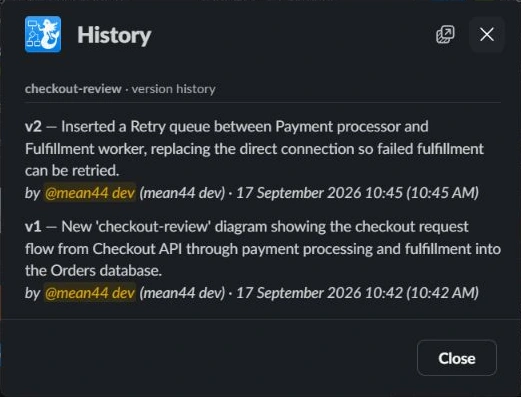
The screenshot shows Arialine’s version list and the diagram changes retained with the board.
FAQ
Is Mermaid itself a whiteboard?
No. Mermaid is a text syntax that a compatible renderer turns into a diagram. Whiteboards are collaborative canvases with movable objects. Some products now combine Mermaid source with canvas-based editing, so check how source and visual changes stay synchronized.
Can you use Mermaid in Miro?
Yes. Miro's structured Mermaid diagrams are in beta. As of the linked feature matrix, flowcharts render as native shapes and are visually editable; sequence, class, and ER diagrams render as native shapes, with visual editing marked as coming soon; other supported types render as SVG and cannot be visually edited. Moving a diagram into freeform mode ends its Mermaid synchronization.
Should a whiteboard diagram be converted to Mermaid after every workshop?
No. Convert only views that need a durable, reviewable source and will be maintained after the session. Leave exploratory maps, retrospective boards, and one-time facilitation canvases where they are useful.
Does a Mermaid diff prove the new architecture is correct?
No. A diff shows which source text changed. A reviewer still needs to check the meaning against the accepted design or implementation evidence that the diagram claims to represent.

 Add to my Slack