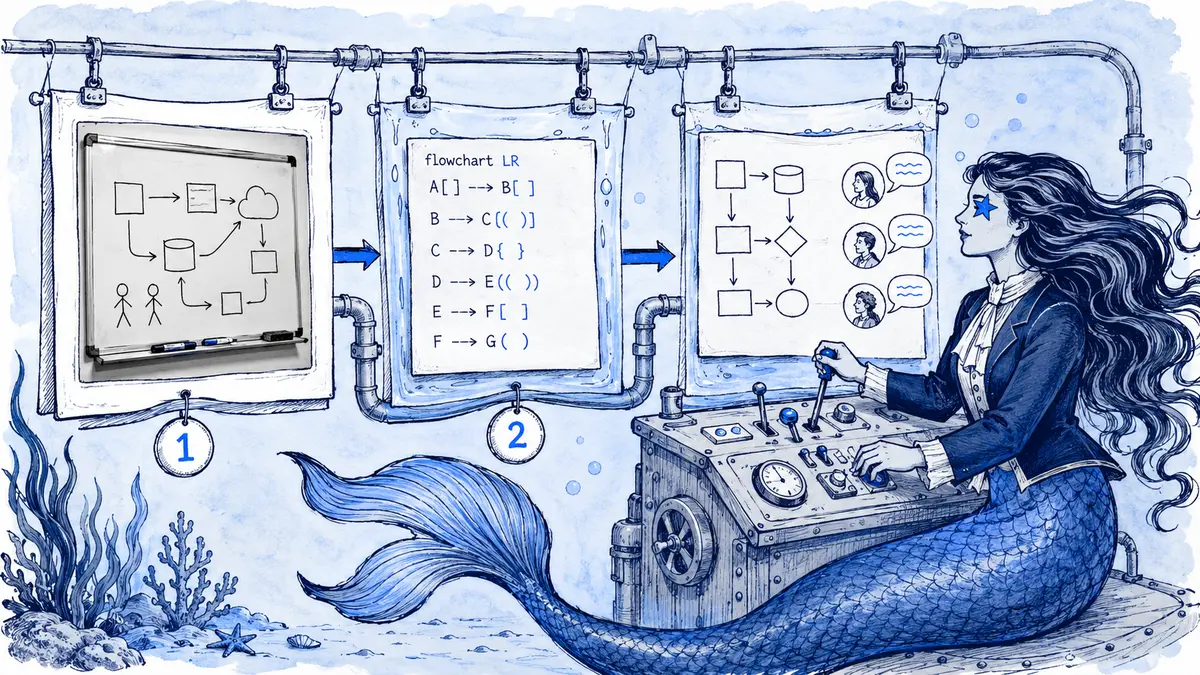
A workshop photo shows an API, a queue and two workers. One arrow is hidden under a sticky note, and a crossed-out box may be an abandoned idea rather than part of the accepted design. Asking AI to “turn this into Mermaid” can make the uncertainty disappear without resolving it. The safe handoff is to transcribe what is visible, label what is unclear, ask the participants to settle the missing relationship, then make Mermaid source the editable current view. This guide separates transcription from interpretation so a neat diagram does not invent a decision the workshop never made.
Direct answer: Photograph or export the board, write a short text description of what it shows, then create Mermaid by hand or with a vision-capable AI tool. Render the result and check every node and arrow against the sketch. Remove brainstorming notes, split alternatives into separate diagrams, and keep the Mermaid source as the maintained artifact. The photo becomes historical evidence, not the current design.
Step 1: capture a readable image
Photograph a physical board straight on, in even light, with no glare across the arrows. For virtual boards such as Miro or FigJam, export the frame at full resolution instead of taking a screenshot. Mark any uncertain part on the board before you capture it, for example with a "?" next to an arrow nobody agreed on.
Step 2: write the description that the sketch leaves out
A sketch hides decisions in arrowheads and proximity. A few sentences resolve that:
Checkout sketch, agreed version (left side of the board).
Customer uses Web App. Web App calls Checkout API.
Checkout API calls Fraud service, then Payment provider (external).
Failed payment retries twice, then goes to a dead-letter queue.
The "cache?" box on the right was rejected; ignore it.
This text is useful whether a person or a model does the conversion. It is also the part most teams skip.
Step 3: produce Mermaid
For small sketches, writing Mermaid by hand is fast and accurate:
flowchart LR
    C([Customer]) --> W[Web App] --> A[Checkout API]
    A --> F[Fraud service]
    F --> P[[Payment provider]]
    P -- failed --> R{Retried twice?}
    R -- no --> P
    R -- yes --> D[(Dead-letter queue)]
For larger boards, a vision-capable AI assistant can draft the source from the photo plus your description. Treat that output as a draft. Handwriting, crossing arrows, and grouping by position are exactly where models invent labels or reverse direction.
Arialine works from Mermaid you paste or a text description, so write down what the photo shows first, by hand or with a vision-capable tool.
Step 4: verify every relationship
Render the source and compare it with the board, edge by edge:
- Is every component real, and did anything appear that was not on the board?
- Does every arrow point the right way?
- Are synchronous calls and asynchronous messages distinguishable?
- Is the failure path present?
- Did rejected options stay out?
Approve on correctness, not on how tidy the diagram looks. A clean layout makes wrong edges more convincing.
Step 5: simplify for maintenance
Space on a whiteboard feels free, so boards accumulate notes. A maintained diagram needs a single purpose. Remove brainstorming comments. Put rejected alternatives in the thread or a separate diagram. Split context, flow, and deployment into separate views. See keeping complex Mermaid diagrams readable.
Separate what the photo shows from what you infer
A workshop photo shows an API, a queue and two workers, but one arrow is hidden by a sticky note. Transcribe the visible relationships first. Mark the hidden edge as “unknown” in the accompanying note, then ask the participants whether both workers consume the same queue. A vision model may guess a plausible arrow; that guess is not evidence that the group agreed to it.
Once the participants confirm the boundary, create the Mermaid in Arialine and post it to the Slack thread where the decision is being reviewed. Ask a second person to compare every node and edge with the photo and the written clarification. The resulting source is the maintained diagram; the photo records the exploration. Keep a link back to it for anyone asking where an option came from, but do not force future readers to decode handwriting to understand the current design.
Step 6: keep the source where the team works
Once verified, the Mermaid source is the artifact to maintain. Commit it to a repository if the diagram belongs with code, or keep it in Slack if the diagram is discussed there.
With Arialine, paste the source with /arialine → Create, and post the original photo in the board's thread as a record of the session. Later corrections addressed to Arialine in that thread become numbered versions with the requesting message linked. The thread then shows how the design moved on from the workshop. The full steps are in how to create Mermaid diagrams in Slack.
Separate transcription from interpretation
The photo proves only what was visible on the board. Blurred labels, crossed-out arrows and off-camera notes are unknowns, not permission to invent a cleaner architecture. Use Mermaid's flowchart syntax for the first transcription, then ask participants to resolve ambiguous direction, ownership and grouping.
Keep the original photo, the first Mermaid transcription and the reviewed version as separate artifacts. Redact names, customer data and incident details before sending an image to any AI service. A polished output should identify which relationships were confirmed after the workshop.
Next step: mark every uncertain element with TBD, obtain explicit confirmation and remove the marker only in the reviewed version.
FAQ
Can AI reliably read a messy whiteboard photo?
It can produce a useful draft, but accuracy drops with handwriting, overlapping arrows, and grouping by position. Always add a text description and verify manually.
Should we keep the photo?
Keep it if your process values the history of the session, and label it as a draft. Do not let it compete with the maintained diagram as "the architecture".
Why not keep maintaining the whiteboard?
For workshop-heavy, spatial work, that can be right. For engineering documentation that changes through review, text source is easier to diff, search, and update.

 Add to my Slack