Turn Markdown files into native Slack Canvases
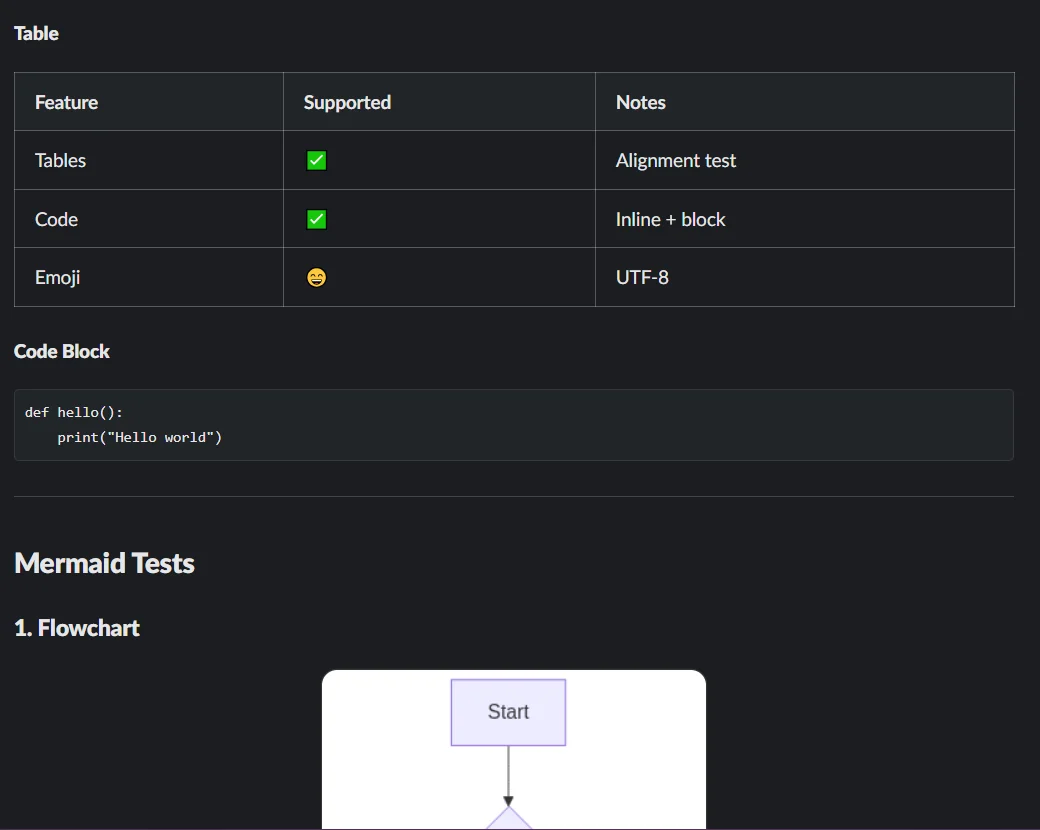
Slack doesn't render Markdown files — an uploaded .md shows up as a plain code snippet. Arialine converts any Markdown file (or pasted Markdown) into a proper Slack Canvas: headings, lists, and tables render natively, and every ```mermaid block is pre-rendered into an embedded diagram image.
Why Markdown dies in Slack
- An uploaded README or design doc displays as a raw text snippet nobody scrolls through.
- Copy-pasting Markdown into a message mangles headings and tables.
- Docs with embedded Mermaid lose their diagrams entirely.
- Linking out to GitHub or Notion pulls the discussion away from where the team already is.
How Markdown-to-Canvas works
Drop the file
Share a .md or .markdown file in any channel where Arialine is present and it renders automatically (a per-channel toggle). The canvas link posts in the file's thread by default, or as a new channel message.
Or use a shortcut
Use the message shortcut 'Render as canvas' on any .md attachment or pasted Markdown text, or the global 'Markdown to canvas' shortcut from anywhere in Slack — Arialine DMs you the link.
Mermaid blocks become diagrams
Every ```mermaid code block inside the document is rendered to an image and embedded in the canvas. A block that fails to render is left as code — never silently dropped.
Slack-proof sanitization
Markdown that Slack Canvases reject (like a blockquote nested in a list) is progressively sanitized and retried, so real-world docs actually convert.
Frequently asked
Does this work in DMs?+
Yes — DM a .md file to Arialine and it sends back the canvas link.
What Markdown features are supported?+
Everything Slack Canvas supports natively — headings, lists, tables, images — plus Mermaid code blocks, which Arialine pre-renders as embedded images.
Can I turn off auto-rendering?+
Yes, per channel: /arialine md auto off. The manual shortcuts keep working.
Related use cases
Try it in your workspace
Free for small teams. Arialine only joins channels you invite it to.
Add to Slack