Create your first diagram in Slack.
Add Arialine to your workspace, invite it to a channel, and describe a flow. Then try one change in the diagram’s thread.

1. Install and invite
Install Arialine through Slack's approval flow. If your workspace restricts app installation, ask an admin first. Invite the app to the channel where you want to work and review data handling before supplying private context.
2. Ask for a small diagram
Adapt this illustrative prompt to a flow you can verify. Check the generated Mermaid and the published diagram before treating it as a reference.
@Arialine map a checkout flow: checkout API calls a payment processor, then a fulfillment worker
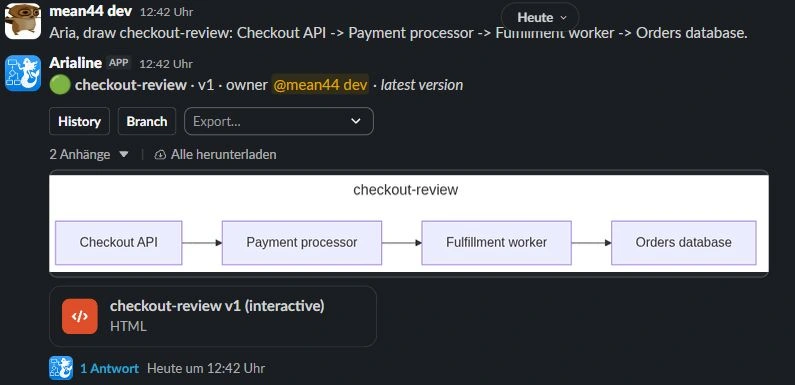
Current product capture from our sandbox workspace. Show source is available inside Export. 3. Address one change in the board thread
Reply in the diagram's thread and address Arialine explicitly. Ordinary replies remain discussion. If the channel uses proposal mode, inspect and apply the proposal before the board changes.
@Arialine add a retry queue before the fulfillment worker
4. Check the version and source message
Confirm the result reflects the requested change. Inspect its version and source context. Keep formal tradeoffs, ownership and implementation work in your normal design/work systems.
 Add Arialine to my Slack →
Already have Mermaid or Markdown?
Use supported source input and the Render as diagram / Render as canvas shortcuts. Automatic file/text rendering depends on channel settings.
This checklist does not inspect your Slack workspace or certify completed installation. Only the actual app flow can confirm your board and revision.