Arialine for SlackDiagrams that stay up to date, from the Slack threads that shape them.
Arialine is a Slack app that turns plain language or pasted Mermaid into editable, versioned diagrams inside Slack.
Mention @arialine to describe a system. Arialine posts the Mermaid diagram as interactive HTML and PNG. Keep talking in the thread to update it — every change becomes a new version, with the decision history preserved.
Arialine uses AI to generate diagrams. AI output can be inaccurate—review diagrams before relying on them.
Works with the Slack you already use
- Slack channels & DMs
- Slack Canvases
- Slack AI (MCP)
- Mermaid
Explore what Arialine can do for your team.
# architecture
12 members · Arialine↓Press send to mention Arialine
↑Open “More actions” on Lee's message → Render as canvas
Slack AI can use Arialine as a tool through its MCP server.
↓Ask Slackbot — it calls Arialine for you
See what Arialine can do in Slack.
 01
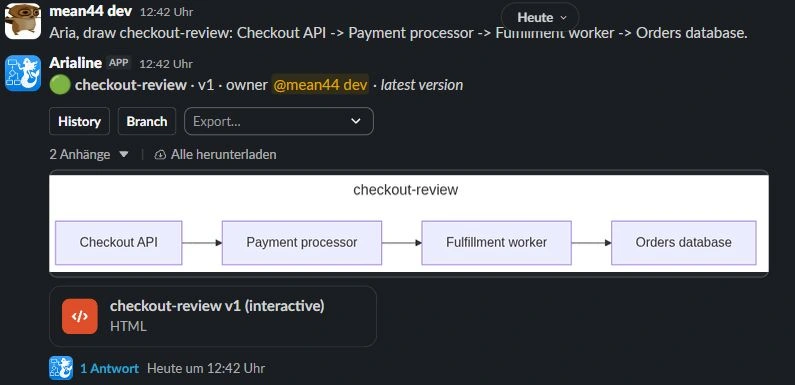
01Create in any channel
Mention Arialine with a plain-language description. It writes the Mermaid, renders the diagram, and posts an interactive HTML file + PNG back to the thread.
See how it works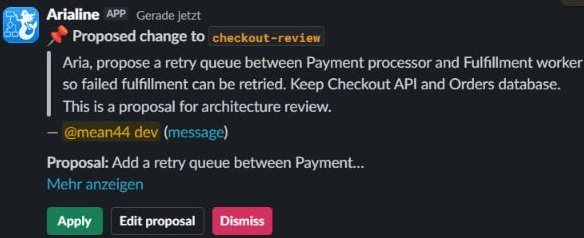 02
02Talk to @arialine to evolve
Mention @arialine in the diagram thread and say 'add a caching layer'. Arialine rewrites the Mermaid, renders a new version, and posts a one-line version reply with Undo & Rewind.
See how it works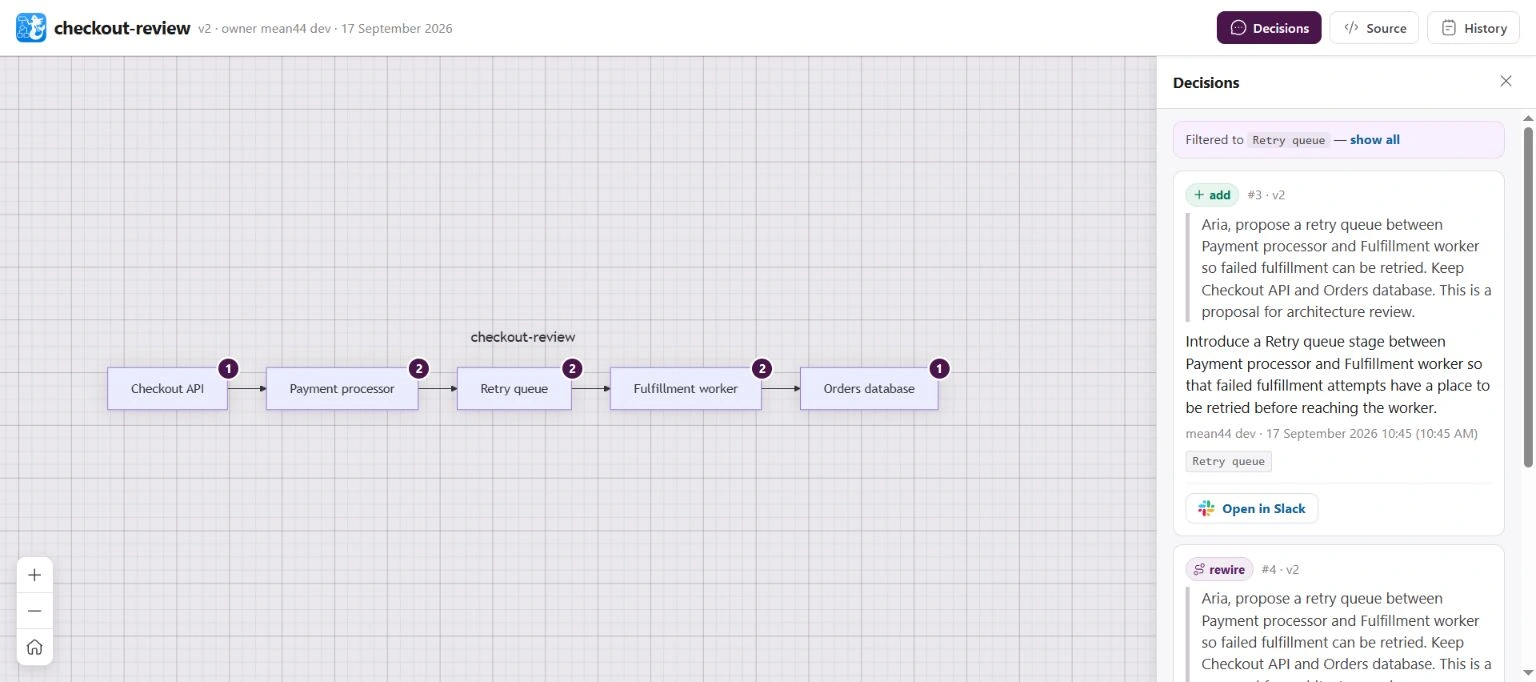 03
03A decision ledger for every board
Versions and source-linked changes stay with the board. Where Slack permits, Arialine uses a standalone ledger Canvas; on Slack Free it updates a ledger message in the board thread without touching the channel Canvas.
See how it works
Type /arialine, paste it, get a diagram.
Valid Mermaid renders exactly as written, without AI. You get a PNG and an interactive HTML file in the channel, and the team keeps editing the same board in its thread, with saved versions and decision history.
/arialine New diagram
flowchart LR
A[Checkout] --> B{Payment ok?}
B -->|yes| C[Create order]
B -->|no| D[Retry queue]
D --> BRewind the diagram to any point, and see who asked for it.
Every accepted change saves a new version instead of overwriting the last one, and Arialine keeps the Slack message that caused it attached to that version.
- Undo removes one change and keeps later work.
- Rewind restores an earlier state as a new latest version.
- Branch explores an alternative on a separate board.
Pick a version on the right — the diagram goes back to how it looked, and the message that changed it comes with it.
Why v3 exists
"Any charge that fails 3× should go to a dead-letter queue so ops can triage it manually."
@sam in #payments · 2 days ago · open in Slack ↗
Six ways in. Zero syntax to learn.
Every entry point produces the same anatomy — a root message with controls, a version thread, and a decision ledger. Pick the one that fits your flow.
Create from a prompt or the discussion
Mention Arialine with a sentence, or finish a team discussion with '@Arialine turn this into a diagram'. It selects the latest coherent topic, ignores chatter and older conversations, and asks when two topics are equally plausible.
See @mention flow@dana
Retries hit the queue, then the worker picks them up.
Render as diagramTurn any existing message into a new board
Hover on desktop or long-press on mobile, choose 'Render as diagram', and Arialine turns that selected message into a board in the same channel.
See message shortcutsAsk for alternatives in plain language
Mention @arialine with 'brainstorm' or explicitly ask it to help with ideas. It produces alternative takes on the current diagram; use /arialine for settings and board controls.
See brainstormingProposed change
React to propose a message as a change
Any team member can 📌-react a message. Arialine reads it in context and posts a proposal card with Apply / Edit proposal / Dismiss — no interruption to the flow of the thread.
See proposal cards# Runbook
- deploy
```mermaid
graph TD
Markdown files render as native Slack canvases
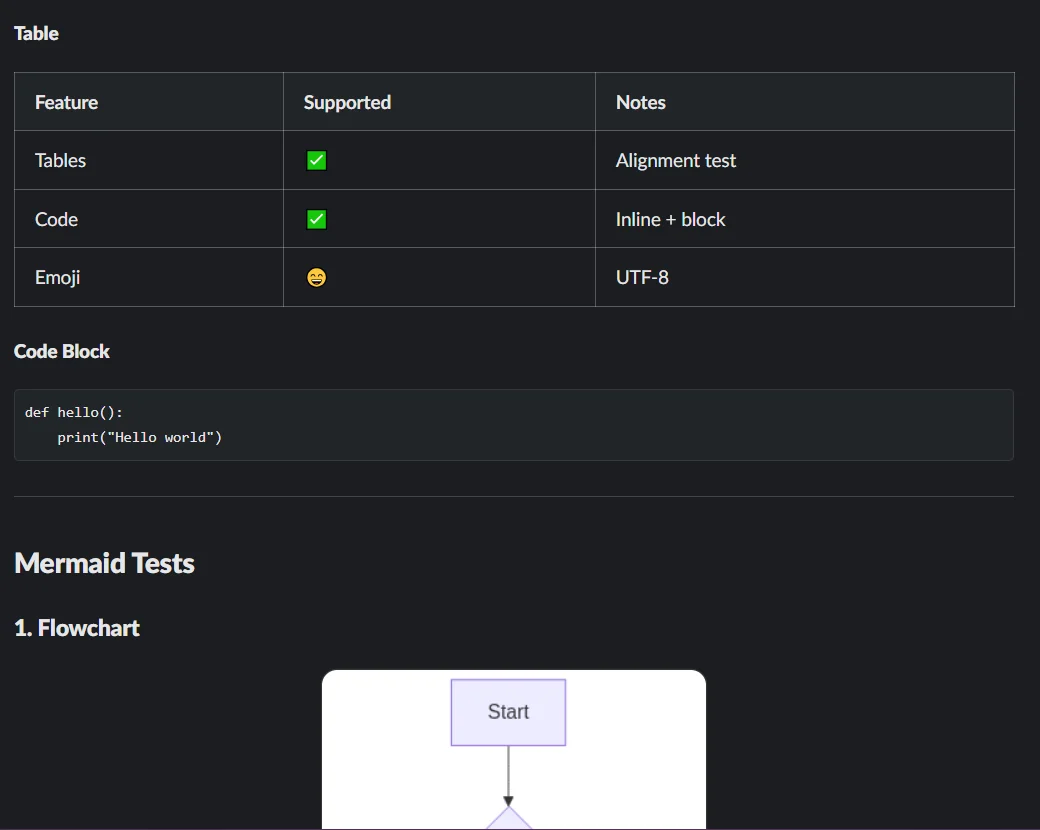
Drop a .md into any channel and Arialine converts it to a Slack Canvas with headings, lists, tables — every ```mermaid block becomes an embedded diagram image.
See canvas renderingShortcuts
- Create a diagram
- Markdown to canvas
- Open board settings
Create from the ⚡ global shortcuts menu
From anywhere in Slack, open the ⚡ shortcuts menu, pick a channel, type a description, and get a board — great when you're not currently in the channel you want to post to.
See global shortcutsThree jobs your team already has. One board for each.
Every workflow runs in the Slack thread where the conversation was already happening — the diagram just stops being the part that lives somewhere else.
“Move the cache in front of the ledger DB?”
Proposal · v4
v4 applied · source message linked
Engineers and tech leads
A review that ends in a committed diagram
Proposed edits land as apply-or-dismiss cards in the thread, and the accepted version keeps the message that caused it — so “why is this arrow here?” always has an answer.
See the workflow#inc-checkout-retriesIncident
Observed: payment retries spiked at 14:02; the dead-letter queue was full by 14:07
Hypothesis: the queue-depth alert never fired?
Incident timeline · v2
Incident reviewers and service owners
The incident flow, checked and signed off
Map what actually happened, keep observed facts visually distinct from working theories, and version every follow-up fix alongside its source discussion.
See the workflowpayment-flow — Decisions
New engineers and onboarding buddies
A walkthrough that answers “why”, not just “what”
Hand a new hire the current diagram with the recorded decisions behind it. They correct what they find through the board thread — and the walkthrough improves itself.
See the workflowWeighing alternatives?


Share a .md file. Get a native Slack Canvas — with the Mermaid inside rendered as diagrams.
Slack doesn't render Markdown in messages, and an uploaded .md just shows as a plain snippet. Arialine turns it into a proper Canvas — headings, lists, tables — and every mermaid code block becomes an embedded diagram image. One doc, fully readable in Slack.
- Drop the file — it renders automatically (toggle per channel).
- Or use the message shortcut 'Render as canvas' on any .md attachment.
- Or the global shortcut 'Markdown to canvas' — Arialine DMs you the link.
- Canvas link posts in-thread by default, or as a new channel message.


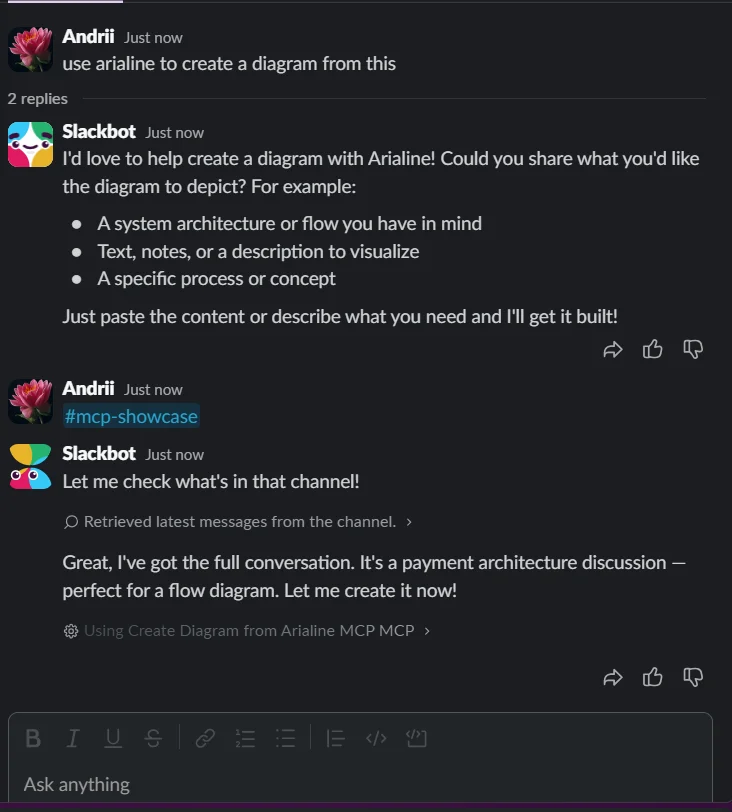
Drive Arialine from Slack's built-in AI assistant.
Arialine exposes a Model Context Protocol server, so Slackbot (Slack AI) can create, edit, and query your boards on your behalf. Ask “turn this discussion into a diagram with Arialine” — Slackbot picks the right tool, Arialine posts the board, and the ledger records who asked.
- create_diagram
- apply_edit
- propose_edit
- explain_element
- get_history
- branch
Slackbot is included on Slack Business+ and Enterprise+. Everything else in Arialine works on every Slack plan, including Free.
Sensible defaults. Every knob when you want them.
Every default preserves the simplest behavior. Admins opt into more.
Version updates
Keep updates in-thread, or announce each new version as a channel message.
Markdown rendering
Choose where canvas links post, and whether .md files auto-render.
Slack-native artifacts
Renders and decision canvases live in Slack. Arialine stores the source and version state needed to update them, and sends invoked context to configured AI providers.
Choose the best plan
Start free with up to 3 boards of 8 versions each and 10 AI generations per workspace each day; pasted Mermaid renders without a limit. Move to Team for unlimited boards, versions and AI generations, and high-resolution PNGs. A workspace-bound Upgrade link opens checkout without requiring the payer to sign in to Slack.
Free
For teams trying Arialine on a channel or two.
What's included
- Unlimited workspace members
- 3 boards, kept forever
- 10 AI generations per workspace each day
- Up to 8 versions per board
- Unlimited renders of pasted Mermaid
- Full version history & decision ledger
- Markdown → Canvas rendering
 Add to Slack
 Team
PopularFor teams making diagrams a daily habit.
What's included
- Unlimited boards & versions
- Unlimited AI generations
- High-resolution PNGs
- Every member included — the price does not change with team size
- Every feature included — exactly like Free
Choose Team — Add to Slack Need the full comparison? See detailed pricing →
Answers to the questions we get first.
Looking for commands, troubleshooting, billing details, or privacy help? Open the Help Center →
Do I need to learn Mermaid?+
No. Arialine writes Mermaid from plain-language descriptions. You can still paste Mermaid, attach a .mmd file, or export the source whenever you want.
Do we need a paid Slack plan?+
No. Arialine works on every Slack plan, including Free and Pro: its /arialine command, mentions and shortcuts are ordinary Slack app features. Only asking Slackbot to use Arialine needs a Slack plan that includes Slackbot (Business+ or Enterprise+).
What does Arialine install into my workspace?+
A standard Slack app with a bot user, /arialine command, App Home, and Slack shortcuts. It only works in conversations the app can access; the requested Slack permissions are shown during installation.
Where does my data live, and do you train on our conversations?+
Diagram renders and canvases live in Slack. Arialine stores the diagram source, versions, decisions, and service/account state needed to keep boards working. Invoked AI features send only the relevant request and context to configured model providers. Arialine does not use your Slack content to train AI models.
Does Arialine work on mobile?+
Yes. Each diagram version includes a mobile-friendly PNG in Slack, while the interactive HTML version is available when you want the richer view. Versions, decisions, Undo, and Rewind remain available from Slack.
Can I actually undo changes and keep history?+
Yes. Every accepted change creates a new version instead of overwriting history. Undo removes a change, Rewind restores an earlier state as a new latest version, and Branch lets you explore an alternative separately.
How is Arialine priced?+
Free includes every feature with workspace-wide board and daily AI-generation limits. Only requests that reach an AI model count; model-free actions do not. Team removes both limits for one flat workspace price, regardless of how many members use Arialine. See the pricing page for current values.

Bring Arialine into your next design discussion.
Install it in one click. Start in a single channel — Arialine only works where you invite it and stays unobtrusive by default.