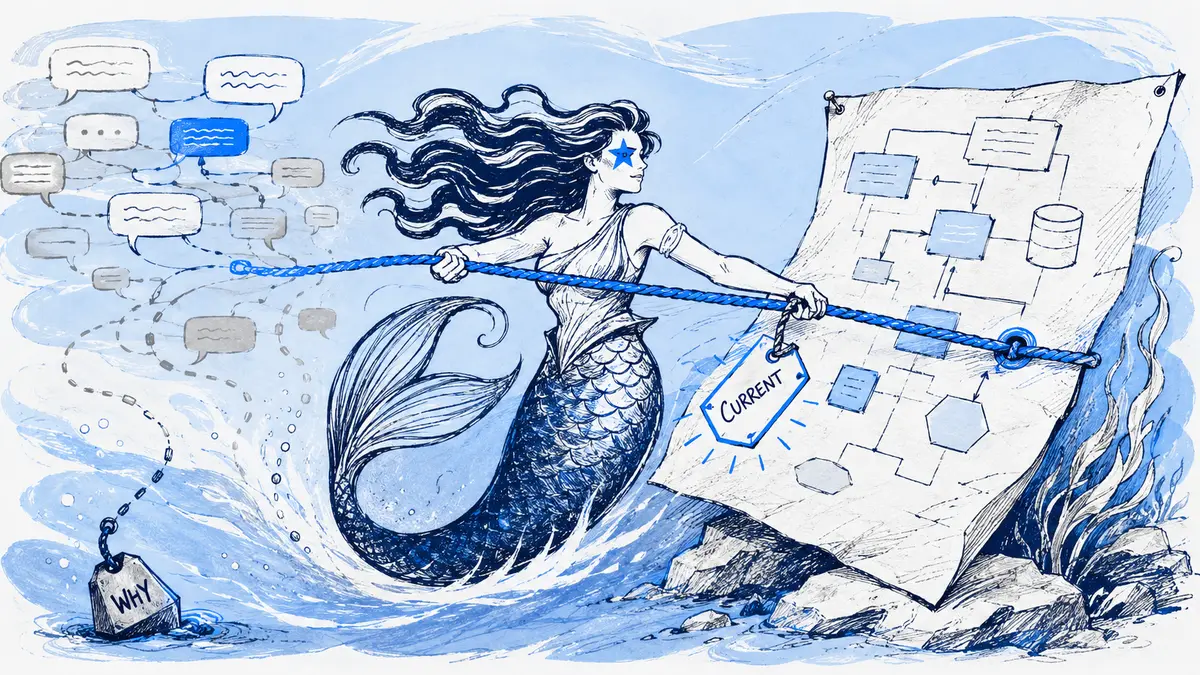
Suppose a checkout team agrees to add a retry queue, but the pull request has not shipped. If its diagram shows the queue as deployed, it is premature; if the team treats the old path as its target design, it is already behind. The mismatch starts when nobody says which state the picture represents.
Direct answer: Architecture diagrams drift when their scope, status, owner or source of truth is unclear, or when relevant changes never trigger review. Name what the view represents, update it only when a change affects that view, and verify its claims against evidence appropriate to proposed, target or deployed state.
What diagram drift means
Diagram drift is a mismatch between a diagram and the specific system view it claims to show. It is not the same as architecture evolving. A high-level view can remain accurate while code changes below its level; a diagram can also become misleading on the day it is drawn if it presents a proposal as deployed fact.
Trust depends on being able to tell what the diagram covers and how its claims were checked. One wrong dependency may lead a reader to question other parts of the view, so mark a disputed relationship as unknown and investigate it instead of making the drawing look complete.
DORA’s summary of its 2022 research reports an association between documentation quality and organizational performance, and says documentation needs active maintenance. That is an organization-level finding; it does not show that updating one diagram by itself improves delivery. DORA’s documentation-quality guidance is useful context for why maintenance belongs in normal engineering work.
Why diagrams fall out of sync
Four maintenance gaps recur:
- The change happens somewhere else. A design changes in a pull request, incident review or Slack discussion, while the diagram is stored in a slide deck. Updating it becomes a separate task with no clear owner.
- The artifact has too much detail. A diagram that duplicates endpoints, fields and implementation steps changes whenever those details change. The arc42 guidance on keeping architecture documentation in sync recommends documenting economically, assigning responsibility, and leaving volatile parts abstract until they stabilize.
- No one can identify the authoritative copy. A current PNG, an older repository diagram and a target-state sketch may all circulate without labels. A timestamp alone cannot tell a reader which one describes deployed behavior.
- Intent and implementation get mixed together. A decision can be accepted before it is implemented. The target design has changed; the deployed system has not.
Architecture documentation does not need to record every code edit. arc42’s building-block guidance says to prefer relevance over completeness when deciding which components deserve detailed views. Start with the question a reader needs answered, then include the level of detail that question requires.
Label the state before updating the picture
For each important diagram, record its purpose, scope, owner and state near the artifact. A small header can be enough:
| Field | Example |
|---|---|
| View | Checkout request and retry path |
| State | Proposed target, not deployed |
| Scope | API request through payment retry |
| Owner | Checkout team or named maintainer |
| Verified against | Decision record, deployed revision, configuration or trace, as relevant |
Use state labels that tell a reader what is being claimed. Proposed means under discussion; target means the design the team intends to build; deployed means released to a named environment, such as staging or production; current means checked against the currently deployed system, with its environment and revision or verification time recorded; historical means retained to explain an earlier state. Deployment alone does not prove the diagram matches runtime behavior. A label does not make a claim true, but it tells the reader which evidence would be needed to check it.
Keep a diagram separate from its decision and approval records. A diagram describes a view of the system. A decision record explains why a choice was made. A formal approval record is only necessary when the team’s process requires one; a chat message or an applied diagram proposal is not automatically that record. AWS’s ADR process assigns an owner and treats accepted ADRs as immutable: a later decision supersedes the old record rather than silently rewriting it.
Match each claim to the evidence that can verify it
A single source rarely proves every kind of architectural claim. Check the source that fits the statement:
| Diagram claim | Evidence to check | What it does not prove by itself |
|---|---|---|
| “This is the design we chose” | An accepted decision record or an explicit team decision | That the design was implemented |
| “This service is in the deployed path” | The deployed revision and configuration; runtime traces when behavior depends on dynamic conditions | Why the team chose that design |
| “The incident request took this path” | The incident timeline, logs or traces for the relevant time window | That the same path applies to all traffic |
| “This change was proposed in Slack” | The linked message or thread | Approval, deployment or consensus beyond what the record says |
When the sources disagree, preserve the disagreement and ask the owner to resolve it. Do not let a diagramming tool choose which source wins. The decision-ledger guide explains how a change history can keep rationale beside the diagram without turning it into a formal ADR.
A low-overhead update workflow
- Choose one question and audience. “Which services handle a checkout request?” calls for a different view from “Why did we add a retry queue?” Avoid a single diagram that tries to answer both. The minimum viable architecture documentation guide shows how to keep the maintained set small.
- Name an owner and source. Choose the team or person responsible for review. For a deployed view, point to the repository, infrastructure configuration or runtime evidence that can check its claims. For a decision view, link the accepted record.
- Trigger review only when the view may change. Examples include a merged change that moves a system boundary, a changed API contract, a new dependency in the depicted flow or an incident that reveals a missing path. A refactor inside one component need not update a context diagram.
- Separate design acceptance from deployment. Update a target view when the team decides on a change. Update or re-verify a deployed view after implementation reaches the relevant environment. If the design is still proposed, label it that way.
- Review the changed nodes and edges. Check direction, boundary, actor, data and failure path against the chosen evidence. A render check can catch invalid diagram syntax; it cannot, by itself, establish that a relationship exists in production.
- Record the change and its limits. Link the source discussion, decision or pull request. Note what was checked and leave uncertain details marked unknown. Use a scheduled review as a backstop for missed triggers, with a cadence based on volatility and risk rather than a universal monthly date. See when architecture diagrams need an update for the cadence question.
For a repeatable pull-request trigger, use the diagram Definition of Done checklist. It helps decide whether a change affects the view, instead of requiring a diagram edit for every code change.
Choose a home that fits the source of truth
| Workflow | Good fit | Maintenance trade-off |
|---|---|---|
| Diagram source in the application repository | The diagram should be reviewed with code changes and the repository is its canonical home | Git preserves edits and makes review visible, but a valid diff still needs someone to verify the diagram’s meaning |
| Generated view from structured infrastructure or service data | The claim can be derived from a maintained machine-readable source | Generation can remove manual transcription for those facts, but it does not explain decisions or prove that inputs match runtime behavior |
| Shared visual canvas | People need to explore alternatives freely in a workshop | Useful for exploration; assign an owner and a clear handoff when one view becomes the agreed target |
| Diagram attached to a Slack design discussion | The discussion and review happen in Slack and the team needs a visible revision trail | Keeps discussion close to edits, but does not update the code repository or discover infrastructure changes |
These workflows can coexist. For example, use a Slack thread to discuss a target design, keep the accepted decision in the team’s ADR system, and update a repository-owned deployed view after release. State which artifact is authoritative at each stage. The diagrams-as-code and conversation-led workflow comparison goes deeper on choosing that boundary.
Where Arialine fits
Arialine is useful when the design review itself happens in Slack: a person can request a Mermaid diagram or an edit, review the result, and keep board versions with the relevant discussion context. When a version has source-message links, reviewers can follow them back to the request. The architecture reviews workflow shows that path.
Keep the repository or operational system authoritative for deployed-state claims, and make any handoff from the Slack board explicit.
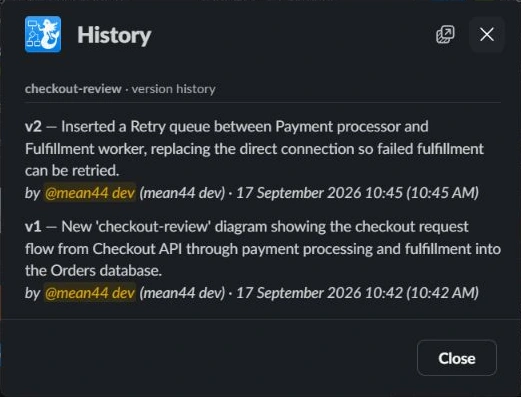
The screenshot shows Arialine’s History view with the board’s retained versions and change summaries.
A five-minute confidence check
Ask a teammate who did not draw the diagram:
- What question does this view answer?
- Is this proposed or target design, deployed in a named environment, verified current against which revision or time, or historical?
- Which source can verify its key components and relationships?
- Who owns its next review?
- Which uncertain detail should remain marked unknown?
This checks findability and clarity, not architectural correctness. To check correctness, compare the important relationships with the evidence named for the view.
Next step: choose one diagram people rely on, add its scope, state, owner and evidence source, then trace the last material change to the record that supports it.
FAQ
Are stale diagrams worse than having no diagram?
An unlabeled diagram that appears current can mislead people. A clearly marked historical diagram can still explain how the system or decision evolved. If no one can verify a current-state diagram, label the uncertainty and assign a review instead of presenting it as authoritative.
How often should an architecture diagram be updated?
Update it when a change affects the view it represents, then schedule a periodic review to catch missed triggers. The right backstop interval depends on how quickly that part of the system changes and the risk of relying on stale information; there is no useful universal date for every diagram.
Can generated diagrams eliminate drift?
Generation can keep facts synchronized when those facts come from maintained structured inputs. It cannot automatically preserve design rationale or guarantee that declared configuration matches runtime behavior. Keep an owner and verify the generated view against its intended use.

 Add to my Slack