
A Mermaid block can fail in several different places: Slack may only display it as text, a diagram app may not have received the request, the Mermaid parser may reject the source, or the image may render but remain hard to read. Those symptoms need different fixes.
Direct answer: First check whether a diagram app received the request. If it did and returned a parse error, test the exact Mermaid source with the same renderer version and fix the first unsupported or malformed construct. If Slack only shows code, invoke an app; Slack's native message formatting does not turn Mermaid code into a diagram. If the image renders but looks wrong, review the layout and the diagram's meaning separately from syntax.
Start with the symptom
| What you see | Where to investigate first |
|---|---|
| Mermaid code appears, but no diagram or app reply | App installation, channel access, invocation, and channel settings |
| The app replies with a parse error | Diagram header, labels, delimiters, and syntax supported by that renderer |
| It renders in one editor but fails in Slack | Renderer version or configuration, or source altered while copying it from Slack |
| The image is blank, incomplete, or hard to read | Missing diagram content, layout, image scale, or a source that does not match the intended behavior |
| The app says it cannot validate the source | Renderer availability or an app-side failure; a Mermaid syntax edit may not help |
Get an exact, safe reproduction
Do not start by rewriting the whole diagram. Copy the exact Mermaid source and the full error text, then try a small known-good flowchart in the renderer you are troubleshooting:
flowchart TD
    Start[Request received] --> Check[Check inputs]
If the small example renders but the original does not, simplify the original in stages: remove styling and subgraphs, then remove nodes or lines until the failure disappears. Add each removed part back one at a time. This identifies the smallest failing construct and makes a useful support report.
For a non-sensitive snippet, the Mermaid Live Editor is a quick way to see whether the source parses. It may use a different Mermaid version or configuration from the Slack app, so a successful preview does not prove that the target app supports the same syntax. Treat every third-party playground as an external service; use only source your organization permits you to share there. For confidential diagrams, use an approved local renderer or reduce the source to a harmless example.
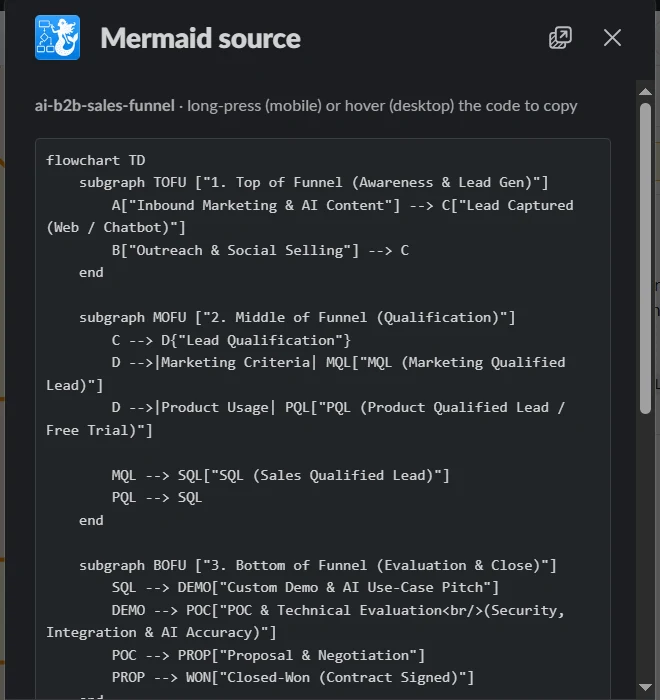
If you copied the code from a Slack message, compare it with the original source before debugging. Slack's message formatting rules reserve characters including &, <, and > for special parsing. Arialine's current Mermaid workflow guide also warns that copying Mermaid arrows back out of a Slack message can alter characters in the source. For an Arialine board, use Export → Show source or export the .mmd file to recover the saved source. See the guide to exporting diagrams from Slack.
Fix common Mermaid source problems
| Symptom | What to check | Fix |
|---|---|---|
| “No diagram type detected” | The first Mermaid line is missing, misspelled, or is ordinary prose. | Start with the correct header, such as flowchart TD, sequenceDiagram, or gantt; remove surrounding Markdown fences if the editor expects raw Mermaid. |
A flowchart fails around a node named end |
Lowercase end is reserved in flowchart syntax. |
Rename the node or capitalize the label, for example End. Mermaid documents this and other flowchart parsing edge cases. |
| A flowchart unexpectedly draws a circle or cross edge | An ID begins with o or x immediately after a hyphen edge token, as in A---oB. |
Add a space before the ID or capitalize its first letter, as Mermaid's flowchart guide recommends. |
| The error points into a node label | A label contains a delimiter, quote, or sequence that the diagram grammar treats as syntax, or its brackets/quotes do not pair. | Quote the complete label and check the opening line too. For example, A["Retry (max 2)"] makes the text boundary explicit. The exact reserved characters depend on the diagram type; use its syntax reference. |
| Gantt dates or task positions look wrong | Input dates do not match the selected format, or sequential defaults were mistaken for parallel work. | Mermaid Gantt uses YYYY-MM-DD as its default input date format. If you set another dateFormat, use it consistently; add explicit dates or dependencies when tasks overlap. See Gantt date and task syntax. |
Different sequence arrow tokens are valid Mermaid syntax when they represent different line or arrow styles. For example, Mermaid supports solid ->>, dotted -->>, and open -) messages. A mixture is not automatically a parse error; choose the token that conveys the intended interaction. The sequence diagram reference lists the supported forms.
If there is no diagram in Slack
Slack can display a fenced block as code, but it does not natively render Mermaid. A Slack app must receive the request and render the source. The Slack formatting reference documents code blocks; the separate Arialine Mermaid workflow explains how a renderer turns source into a diagram.
For Arialine, check these in order:
- Confirm Arialine is installed in the workspace and invited to the channel with
/invite @Arialine. - Invoke it directly: use
/arialineand paste the source, mention@Arialinewith a fenced Mermaid block, or share a.mmdfile. The step-by-step Slack guide shows these paths. - Check
/arialine settings. Automatic creation from a shared.mmdfile is on by default, but automatic rendering of pasted Mermaid blocks in ordinary messages is off by default and configurable per channel. A normal code block is therefore not evidence of a parser failure.
For background on native Slack behavior, see whether Slack supports Mermaid diagrams.
If it works in one renderer but not another
Renderers can ship different Mermaid versions, enabled diagram types, and configuration. Test the exact same source in both places, then check the target app's documented Mermaid version and supported types. Do not assume that a diagram accepted by the latest online editor is accepted by an older embedded renderer.
Arialine's current product documentation lists Mermaid 12 diagram types plus ZenUML. Valid Mermaid pasted into Arialine is rendered as supplied without an AI generation; it can also be exported as source, PNG, or SVG. Review the supported Mermaid workflow for the current product paths.
If the app returns a renderer-availability message instead of a parser error, keep the source unchanged and retry later. For an Arialine issue that persists, contact Arialine support with the smallest non-confidential example, exact error, diagram type, when it happened, and whether the same source rendered elsewhere.
If the diagram renders but looks wrong
Syntax validation answers “can this source be rendered?” It does not establish that the picture represents the system correctly. Check that every node, edge direction, sequence, and branch matches the code, decision, or process the diagram is meant to document.
For layout problems, try a top-down direction (TD) for a tall process or left-to-right (LR) for a short sequence, shorten long labels, and split independent flows. An interactive diagram can help someone inspect a large image, but pan and zoom do not make an unfocused diagram easier to understand. See ways to keep complex Mermaid diagrams readable.
What Arialine does with invalid pasted Mermaid
Valid Mermaid is rendered without calling an AI model. When a saved paste is invalid, /arialine validate on (the default) lets Arialine attempt an AI repair; with validation off, it offers a Let Arialine fix it action instead. A model-generated repair can change meaning, so compare the result and source with the system owner before relying on it.
The workspace privacy switch has a narrower scope than its name may suggest. An owner or admin can set /arialine privacy save off so a render-only Mermaid paste or attached .mmd file is drawn once without creating a board; if that input is invalid, Arialine reports the error without retaining the source for an AI repair. Correct it locally and submit it again. Arialine's Privacy Policy describes this one-off paste behavior and states that Mermaid supplied with an edit request is still stored so the diagram can be changed. AI-created diagrams and existing boards are stored as well, so save off is not a blanket no-retention setting. The policy also explains when an explicit edit can send source and context to a model provider; apply your organization's data rules before submitting that request. Existing boards continue through their normal versioned review workflow.
For a saved board, use Export → Show source to inspect what was actually rendered. If a repair or later edit changed a version incorrectly, diagram review and version history describe the available review and recovery controls.
FAQ
Why does Mermaid render in the Live Editor but not in a Slack app?
The two places may run different Mermaid versions or configurations. Compare the exact source, verify that the target app supports the diagram type, and check that copying the source through Slack did not alter characters such as <, >, or &.
Why does Slack show the Mermaid code instead of a picture?
Slack's native message surface formats text and code blocks; a diagram app must parse and render Mermaid. In Arialine, invoke the app or check whether the channel's automatic pasted-text setting is enabled.
Can Arialine fix a Mermaid parse error automatically?
It can attempt an AI repair when automatic validation is enabled and the source can be saved for that workflow. With /arialine validate off, it offers a repair action. A render-only paste or .mmd attachment under /arialine privacy save off is not retained for repair; a paste paired with an edit request follows the saved-board workflow and is stored. Check the Privacy Policy before using either path with confidential source.
Is it safe to paste production Mermaid into an online editor?
Only if your organization's data policy allows it. A diagram can expose service names, trust boundaries, data stores, or internal flows. Use a sanitized minimal example or an approved local renderer when the source is confidential.
Changes since the previous revision (September 29, 2026): this article now separates Slack delivery failures from Mermaid parse errors, corrects sequence-arrow guidance, and distinguishes render-only pastes from stored edit requests in Arialine's privacy behavior.

 Add to my Slack