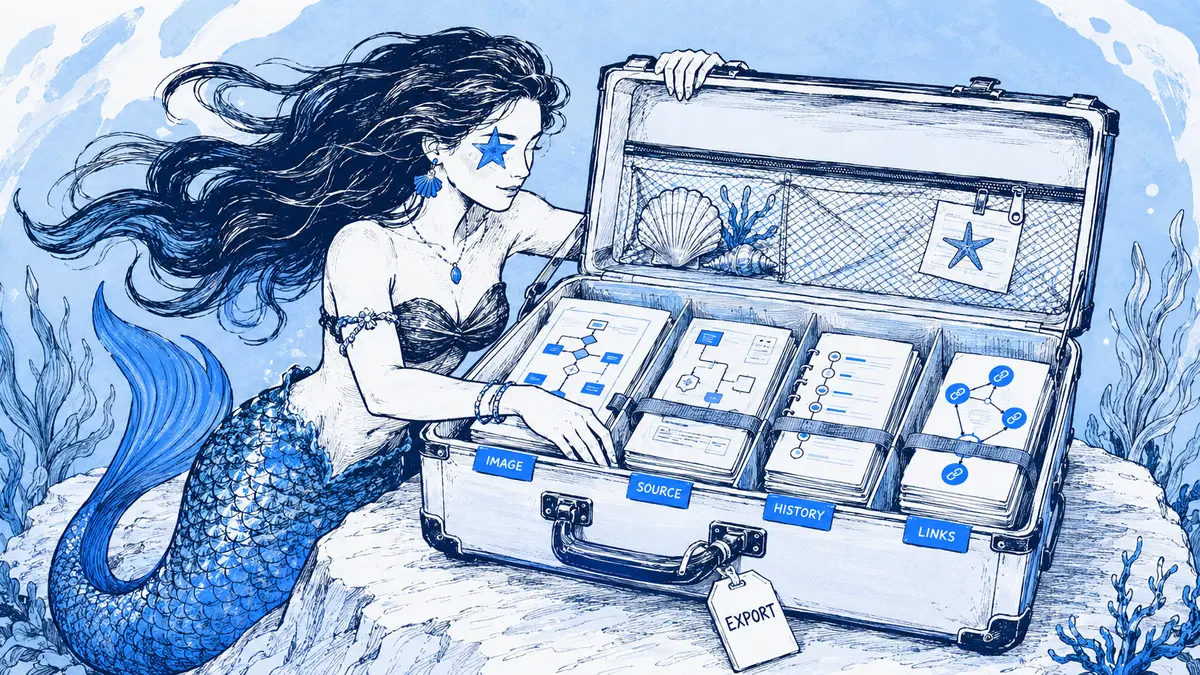
Slack can contain a diagram as an uploaded image, text or an image in a Canvas, a preview from a rendering app, or a link to a separate whiteboard. Those are different sources, so Slack does not have one universal diagram-export action.
Direct answer: Download a file already posted to a message. Use Print canvas to save a Slack Canvas as a PDF. If the diagram is Mermaid, keep the original
.mmdtext and render it as PNG, SVG, or PDF. Export a Miro or Lucid board from that tool. For a versioned Arialine board, use its Export menu for the current Mermaid source or image, or choose the exact versions for a PDF report. For a useful handoff, include the version, export date, and why the diagram changed; an image alone is not an editable source or a history.
Find what Slack actually contains
| What is in Slack | Start here | What the export preserves |
|---|---|---|
| An attached PNG, SVG, PDF, or other file | Download the file from its message | That file only; a rendered image does not include the original Mermaid source unless it was shared separately |
| A Slack Canvas | Print the Canvas to PDF | A page snapshot of the current Canvas, not a versioned diagram package |
| A Mermaid rendering app's result | Download the app's posted file; save the Mermaid text separately | The rendering app determines whether you get an image or source. The Mermaid Preview Slack listing describes uploading a PNG |
| A Miro or Lucid link | Open the source board and export there | A file in an export format; it is not the same as the original live board |
| An Arialine board | Use the board message's Export menu | Current .mmd, PNG, or SVG, or a PDF report of selected versions |
Download a file already shared in Slack
On desktop, use the download icon on a file. For a message with several attachments, open More actions and choose Download files. Slack's file guide says mobile downloads are limited to images. If the post contains a PNG preview, downloading it saves the preview, not the editable diagram behind it. Ask for the source file or return to the tool that produced the image.
Print a Slack Canvas to PDF
Open the Canvas on desktop, select the three-dot menu, choose Print canvas, and save the system print output as a PDF. Slack owners and admins can disable printing, and a Canvas shared from an external Slack Connect workspace may not have the option. Wide tables and lists can be clipped; try landscape orientation, a different paper size, or scaling in the print dialog. Slack also notes that links in PDFs made from the desktop app break. If the PDF needs active links, open Slack in a browser and print from there. These limits are documented in Slack's Canvas printing guide.
A printed Canvas is useful when the recipient needs a readable snapshot. It does not by itself provide the original Mermaid as an editable .mmd file or a report of a diagram's revisions. If the Canvas contains a rendered diagram, retain the file or source that created that image too.
Choose a format that matches the next job
| Format | Use it for | Keep in mind |
|---|---|---|
| PNG | A quick preview, slide, or document that accepts images | It has fixed pixels; enlarging a small export can make labels hard to read |
| SVG | A diagram that must remain sharp when resized | It is a rendered picture, not the original editor's full board structure |
Mermaid .mmd |
Editing Mermaid text or regenerating the diagram | Save any important renderer version, theme, and configuration alongside it; Mermaid configuration can affect rendering |
| A fixed snapshot for a review, incident record, or handoff | It is not a substitute for the source or live board; links may require Slack access | |
| Interactive HTML | A pan-and-zoom view when the source tool provides one | Check whether its history or source panels link back to Slack, where access rules still apply |
Render Mermaid source to an image or PDF
If you have the Mermaid text but only need a rendered file, the official Mermaid CLI can output SVG, PNG, or PDF. Install it, then change the output extension to the format you need:
npm install -g @mermaid-js/mermaid-cli
mmdc -i architecture.mmd -o architecture.svg
mmdc -i architecture.mmd -o architecture.png
mmdc -i architecture.mmd -o architecture.pdf
A .mmd file is the diagram definition, not a guarantee that every renderer will produce identical pixels. If the look matters, keep the Mermaid version and any non-default theme or configuration with the source; Mermaid supports both global and diagram-level settings in its configuration guide.
Export a linked whiteboard from its original tool
Slack links and previews do not replace the source board. Open the board in its own product when you need an export or want to keep editing it. Miro's board export guide supports JPG, PDF, and SVG image exports, but available resolutions and options vary by plan, browser, device, and board permissions. Lucid's export guide lists PDF, PNG, JPEG, and SVG among its download formats; exported Lucidchart documents omit collaboration features such as comments, tasks, and notes. Keep the source-board link when people need the live workspace, and use an exported file when they need a stable snapshot. See how Slack and Miro fit together for the linked-board workflow.
Treat a Slack workspace export as an archive route
A workspace data export is for authorized workspace records, not a one-click way for every member to download one diagram. The scope available depends on the export type, workspace plan, administrator permissions, and retention settings; Slack's import and export guide explains those boundaries.
Slack's JSON exports contain links to workspace files rather than the file contents. If the file, channel, or workspace is deleted, Slack says those links stop working. A JSON export includes canvases.json with links for downloading Canvas HTML; download that HTML separately. Canvas version history is available only when the workspace or organization can export all conversations. See how to read Slack data exports before treating an export ZIP as a complete archive. For a records or e-discovery requirement, follow the workspace's approved export and retention process; a diagram image or product PDF is not a compliance certification.
Export an Arialine board with its version context
An Arialine board's root message has an Export menu. Show source opens the current Mermaid text to copy; Mermaid source (.mmd) downloads the current source; PNG and SVG export the current version. For new board versions, /arialine files both|png|html controls whether the channel posts PNG, interactive HTML, or both; exports remain available separately. When the HTML file is posted, its viewer includes pan and zoom, source, history, and decisions, so a recipient can explore the diagram instead of viewing a static image. The Arialine Slack workflow guide shows the board and its controls.
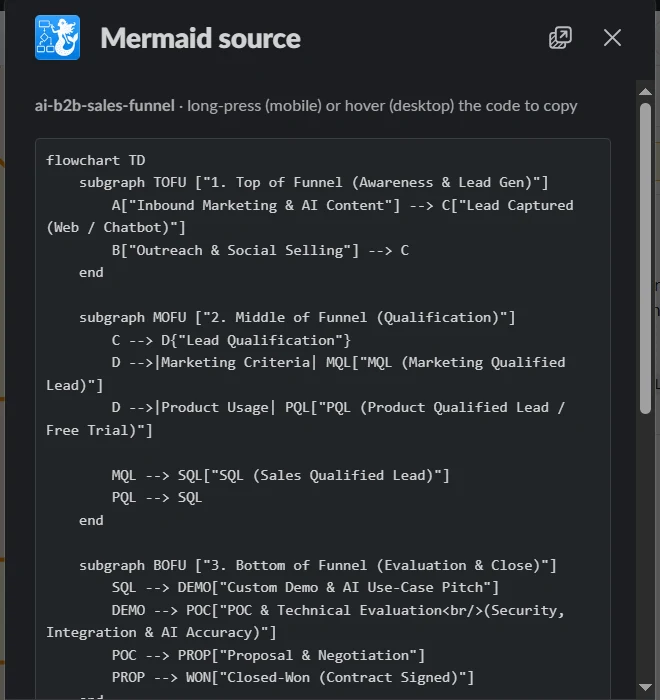
The image shows Arialine’s source-copy view, where the current board’s Mermaid source can be copied.
For a PDF, choose PDF report… and select the current version, one historical version, or a consecutive range of up to ten versions. Each included section has the rendered diagram, author, readable date, change summary, and any linked Slack source evidence. The report includes Mermaid source once, for the latest version in the selection. If an incident review needs the source for an older version, export that version by itself or end the selected range at that version. The cover identifies the selected scope and includes a content fingerprint. The PDF is posted in the board thread; export does not call an AI model or create a new board version.
The report is a version snapshot, not formal sign-off or an approval audit. Source links still depend on Slack permissions and may later become unavailable. Only send the report to people who are allowed to see its source evidence. For more detail on version choice and review context, see how to review and version diagrams in Slack.
Free workspaces can have up to eight versions per board. When a board reaches that cap, it remains readable and exportable, but cannot accept another version until the workspace moves to Team.
Build an export another person can use
For a review, incident, or handoff, include the artifacts that answer these questions:
- Which diagram did this show? Record its board or file name, version, and whether it describes a proposal, target, or deployed environment.
- Can someone revise it? Attach the editable source when available, not only a PNG or PDF. For Mermaid, keep the source and the renderer settings needed to reproduce its appearance.
- Why did it change? Add a brief decision summary and the evidence or message link that supports it. Note when a link is access-controlled or may expire.
- Can the recipient open it? Test the files and links using the recipient's intended account and device. Move approved copies to the team's durable, access-controlled repository if they must outlive Slack retention.
For example, an incident review may need both the diagram version in place during the incident and the accepted follow-up version. A current-state PNG alone cannot show what changed. Export both exact states, preserve their Mermaid source where available, and add the contract, runbook, or incident evidence that explains the change. The Slack retention and architecture knowledge guide explains why keeping only an in-channel link can leave a later reviewer without the artifact.
FAQ
Can Slack turn a PNG back into its original Mermaid source?
No reliable source export comes from the image alone. Keep the .mmd file or the original app's editable board. A renderer can create a new diagram from reconstructed text, but that is not the original source.
Does Arialine's PDF approve or certify the diagram?
No. It records selected board versions and the available linked evidence. It does not record formal sign-off or replace your organization's approval, retention, or compliance process.
Can I export an older Arialine version as Mermaid?
The one-click .mmd export is for the current board version. A PDF report can select one historical version or a range of up to ten; its source appendix contains the Mermaid for the latest version in that selection.

 Add to my Slack