
 Add Arialine to my Slack
1Slack thread
Keep the shared reference in the thread
Arialine publishes a board root and version replies with artifacts and controls. Use an addressed thread reply to request an edit; ordinary replies remain discussion.
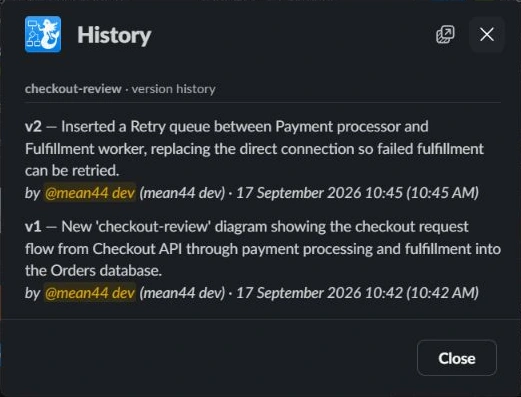
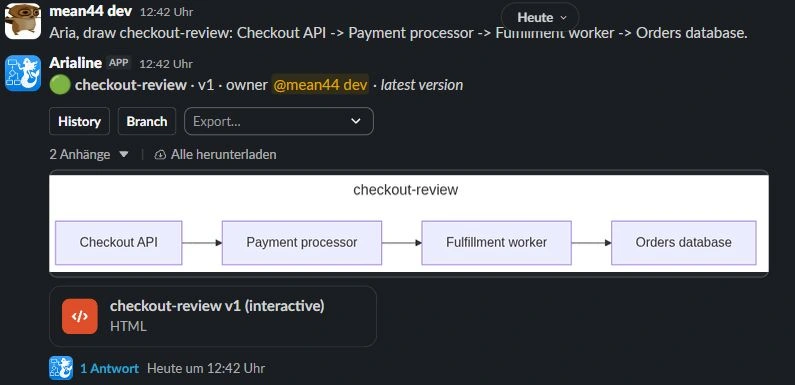
Arialine publishes an interactive HTML file alongside a PNG. Download and open the HTML in a browser to pan, zoom and inspect the diagram and its Decisions view. Use the PNG for Slack previews and mobile review. The HTML is a file artifact, not a native editor embedded in a Slack message.
Arialine publishes a board root and version replies with artifacts and controls. Use an addressed thread reply to request an edit; ordinary replies remain discussion.
Download and open the HTML artifact to inspect the diagram and its Decisions view. This is a self-contained file, not an iframe or live diagram editor embedded in a Slack message.

Use the PNG preview for quick mobile review. Interactive HTML is a separate file you can download and open in a browser; do not expect native Slack message interactivity.
Slack mobile shows the PNG. For the interactive HTML view, tap the file, download it, and open it in your phone's browser.
No — it's a self-contained snapshot posted as a Slack file. Your diagram content stays inside Slack.
Yes — .mmd source, PNG, SVG, or a PDF report for the current or selected historical versions. You can also place a rendered PNG onto a Slack Canvas when the plan and permissions allow it.

Every feature is included in Free, with up to 3 boards and 10 AI generations per workspace each day. Model-free actions do not use that daily allowance. Workspace approval may be required.