Generate diagrams from plain language, inside Slack
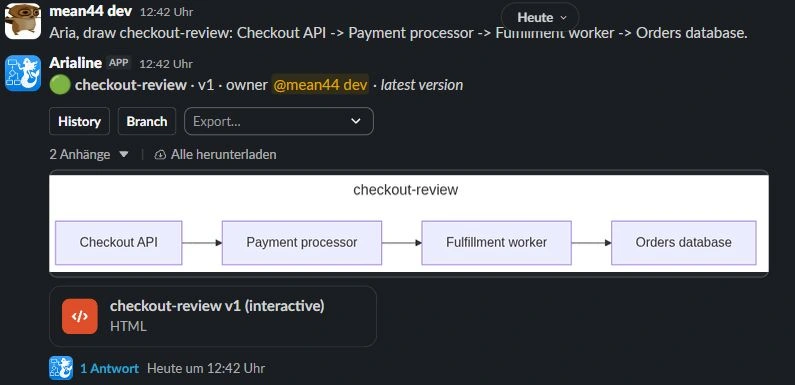
Mention @arialine with a description — 'payment flow with a retry queue and dead-letter after 3 retries' — and it writes the Mermaid, validates it, renders it, and posts the diagram back into the thread. Then talk to @arialine in that thread to edit it in plain language.
Why AI diagramming belongs in the conversation
- Architecture gets decided in Slack threads, then someone has to redraw it in Miro or Lucidchart after the fact.
- AI diagram web apps make one person the diagram owner — everyone else comments through them.
- Prompting a chatbot in a separate tab means copying context back and forth.
- The result is always a static export that drifts from reality within weeks.
How Arialine's AI works with your team
Create from a sentence
@arialine <description> in any channel. Arialine classifies intent, writes the Mermaid, and posts the render — interactive HTML plus PNG — with control buttons on the message.
Edit by talking to @arialine
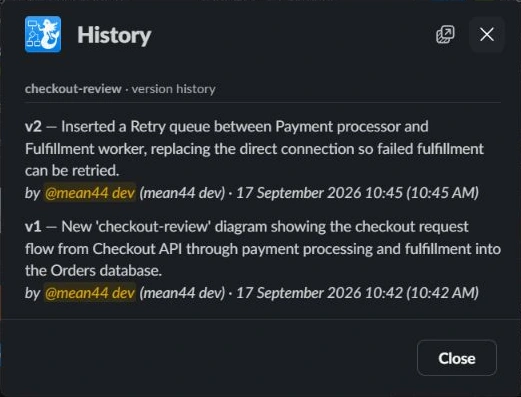
Mention @arialine in the thread and say 'add a caching layer between the gateway and the database'. Arialine rewrites the diagram and posts version 2 — with Undo and Rewind one click away.
Turn any message into a diagram
Use the 'Render as diagram' message shortcut on an existing message — Arialine diagrams that selected message and any supported attachment, then posts a board back to the channel.
Brainstorm alternatives
Mention @arialine with 'brainstorm', or explicitly ask it to help with ideas. It generates 2–3 alternative takes on the current diagram — adopt one in place or branch it to a new board.
Resilient by design
Arialine runs a fallback chain across model providers, so a single-provider outage doesn't take your diagrams down.
Frequently asked
Which AI model does Arialine use?+
A fast production model with automatic cross-provider fallback. Pasted valid Mermaid skips the AI entirely and renders directly.
Can I review changes before they apply?+
Yes. Choose proposal mode and every addressed edit gets a card with Apply, Edit proposal, and Dismiss controls. Choose direct mode to apply addressed edits immediately.
Is my Slack content used to train models?+
No. Message content is used only to generate the requested render and is not used for training.
Related use cases
- Render Mermaid diagrams directly in Slack
- The whiteboard alternative that lives in Slack
- Decision records that write themselves
Try it in your workspace
Free for small teams. Arialine only joins channels you invite it to.
Add to Slack