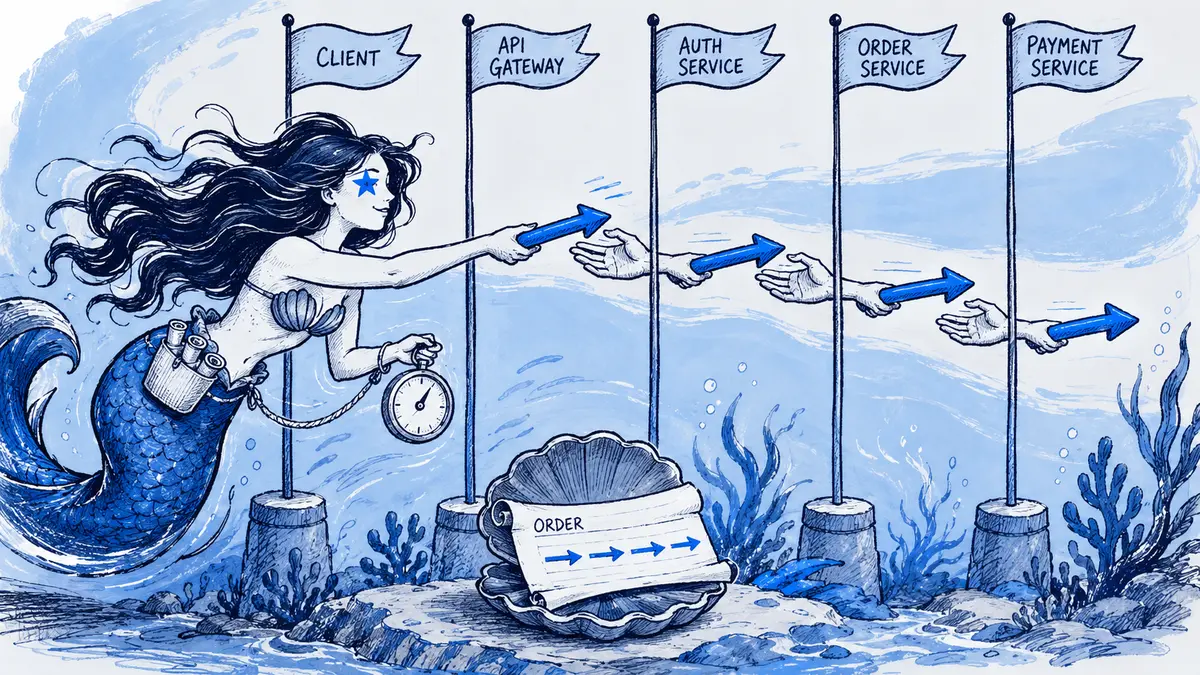
Direct answer: Use a sequence diagram when an API or webhook review depends on who sends each message and in what order. In Slack, write the interaction in Mermaid starting with
sequenceDiagram, then send it through an app that renders Mermaid; a Slack code block preserves the source but does not draw the diagram. Show the normal exchange, the failure that matters, and the component responsible for retrying or deduplicating it.
A sequence diagram reads from top to bottom. Each participant has a lifeline, and messages appear in the order they are sent. This makes it useful for reviewing synchronous requests, asynchronous callbacks, timeouts, and duplicate delivery. It does not prove that an implementation follows the drawn order: verify the diagram against the API contract, code, logs, or tests.
Choose the diagram for the question
| Review question | Better fit |
|---|---|
| Which system sends which message, and in what order? | Sequence diagram |
| Which decision changes the next step? | Flowchart |
| Which services and boundaries exist, without each message? | C4 container diagram |
A sequence diagram can show a branch, but if the main question is a large decision tree, a flowchart is easier to scan. Keep one scenario and one level of detail per sequence. There is no useful universal participant-count limit: include the actors needed to explain the interaction, and split the view when labels or lifelines become hard to follow.
Slack Events API example: acknowledge first, process later
Slack’s Events API calls an app’s request URL when a subscribed event occurs. The example below shows a common design pattern: validate the request, store it in a durable inbox keyed by Slack’s event_id, acknowledge the delivery promptly, then process the event asynchronously.
sequenceDiagram
    autonumber
    actor Member
    participant Slack as Slack Events API
    participant Receiver as App request URL
    participant Inbox as Durable inbox
    participant Worker
    participant App as Application service

    Member->>Slack: Performs a subscribed action
    Slack->>Receiver: POST event_callback with event_id
    Receiver->>Receiver: Verify request signature and timestamp
    Receiver->>Inbox: Persist pending event under unique event_id
    alt First delivery
        Inbox-->>Receiver: New pending record stored
    else Event ID already recorded
        Inbox-->>Receiver: Existing record; do not add another
    end
    Receiver-->>Slack: HTTP 200 after durable handoff, within 3 seconds
    opt Inbox record is still pending
        loop For each allowed worker attempt while the event is pending
            Inbox-->>Worker: Deliver event asynchronously
            Worker->>App: Apply event-specific business logic
            alt Handler succeeds
                App-->>Worker: Completed
                Worker->>Inbox: Record success
            else Retryable failure and attempts remain
                App-->>Worker: Retryable failure
                Worker->>Inbox: Schedule attempt under worker policy
            else Permanent failure or retryable failure at limit
                App-->>Worker: Error result
                Worker->>Inbox: Record terminal failure
            end
        end
    end
The worker loop is application policy: it schedules another attempt only while its configured limit allows one. A permanent failure, or another retryable failure at the limit, reaches the terminal branch. Slack’s own delivery retries happen at the request URL and are described separately below. Slack’s Events API guide says the request URL should return a 2xx response within three seconds and recommends queuing inbound work instead of doing the full job before acknowledging. The event envelope includes event_id, which Slack documents as a globally unique identifier for that event. The diagram uses that identifier as the inbox key so a retried delivery does not create a second pending record.
The receiver should verify that an HTTP request came from Slack before trusting its event data. Slack documents HMAC signature verification using the app’s signing secret and request timestamp in its request verification guide. Keep that validation before the durable handoff; do not copy the signing secret or real event payloads into a shared diagram.
Delivery retries are different from worker retries
Slack’s default failed-delivery policy allows up to three retries: the first is nearly immediate, the second follows after one minute, and the third after five minutes. A timeout, connection failure, or non-2xx response can trigger a retry. If an app enables Slack’s optional Delayed Events setting, Slack follows those attempts with hourly retries for 24 hours. By default, Slack does not attempt to deliver an event more than two hours late; with Delayed Events enabled, it may attempt delivery regardless of event age. See Slack’s default retry schedule and Delayed Events rules. Keep the event-ID deduplication record for the full configured delivery window and the application’s processing or replay window.
That is the delivery retry: Slack is trying to get an event to the request URL. A queue or worker may have a separate processing retry policy after the receiver has acknowledged the event. A third retry can happen when your worker calls another API. Draw each retry next to the component that owns it; otherwise a reader cannot tell which system repeats which operation.
An acknowledgment timeout does not prove the original request stopped processing. The first attempt may still reach the inbox or complete a side effect while Slack starts a retry. This is why a unique event ID is useful at ingress, but it is not a guarantee that every downstream effect happens exactly once. Design the handler and its state transitions to tolerate redelivery, and use the downstream API’s own idempotency contract when it offers one. AWS explains the general retry/idempotency trade-off in Making retries safe with idempotent APIs.
For a concrete vendor example, Stripe’s idempotency contract lets a caller repeat the same request with the same key after a connection error; reusing the key with different parameters is an error, and keys may be pruned after at least 24 hours. That is Stripe’s behavior, not a rule every API follows. A new business action—such as trying a different payment after a decline—is not the same request retry and should not automatically reuse the old request’s key.
Read the Mermaid syntax
Mermaid’s sequence diagram reference defines the constructs used above:
participant Receiver as App request URLdeclares a lifeline with a readable alias.actor Membermarks an external actor.A->>B: RequestandB-->>A: Responsechoose different arrow styles. The arrows are visual notation; they do not enforce HTTP, request/response pairing, success, or delivery guarantees. Label the actual message and outcome.altandelseshow mutually exclusive paths, such as a first event versus a redelivery.optshows a path that may not run, such as work that remains pending.loopmarks a repeated exchange. Put the retrying component, stopping condition, and retry limit in the loop label. Do not use it to imply an arbitrary retry count.parshows actions drawn as parallel branches. Use it only when the implementation allows those actions to run independently; the diagram does not prove the order in which they finish.autonumberhelps reviewers refer to a message, but the numbers are reading aids, not protocol sequence numbers.
Mermaid notes that the word lowercase end can break a sequence diagram because it closes a block. If it must appear in a message or participant label, quote or bracket it and test the source in the renderer your Slack app uses. Renderer versions can differ, so keep examples to syntax supported by the destination.
Build a reviewable sequence from an API contract
Before writing the diagram, answer these questions from the contract or implementation:
- What starts the interaction? Name the user action, scheduled job, inbound webhook, or prior message. Avoid a vague “request begins.”
- What does each arrow carry? Use a short operation or event name. Link large payloads and schemas rather than putting every field in a narrow diagram.
- Which response is synchronous? Label the request’s HTTP response separately from later callbacks or background work. An acknowledgment can mean “accepted for processing,” not “business task completed.”
- What can fail, and who observes it? Show an API error, timeout, queue outage, duplicate event, or delayed callback only when that case matters to this review.
- Who retries, under which rule? Distinguish a client retry, Slack redelivery, queue redelivery, and a user starting a new action. Add the retry limit and stop condition only when documented.
- What prevents an unsafe duplicate? Identify the event ID, idempotency key, unique constraint, or reconciliation step, and verify its scope and retention against the actual system.
- Which order is guaranteed? If two messages can race or arrive independently, do not draw a single guaranteed ordering. Split the scenario or label the assumption.
A sequence is a model, not a full API specification. Keep the body readable and link the OpenAPI document, webhook schema, runbook, or code location that supplies the exact payload and contract. For diagrams that grow beyond one screen, use the techniques in keeping complex Mermaid diagrams readable. If a diagram parses but the branches still seem wrong, use the Slack Mermaid troubleshooting guide to check syntax and renderer differences.
Render and review the sequence in Slack
Slack’s message-formatting guide covers code blocks and message formatting; it does not turn Mermaid source into a visual by itself. For a one-off PNG, the Mermaid Preview Marketplace listing documents a /mermaid render-and-post workflow.
For a diagram the team will revise during the API discussion, Arialine accepts valid Mermaid pasted through /arialine and renders it as written without an AI model call. Its board keeps the source and versions with the Slack discussion. A reviewer can mention @arialine when requesting a correction in the board’s thread; in the default proposal mode, a person applies the proposal before it becomes a new version. See the Slack diagram creation guide and review workflow for the steps and boundaries.
When reviewing the revision, compare the source and each branch with the API contract. A version history records what the diagram said and which Slack request informed a change; tests and production behavior remain the evidence for what the software does. If the goal is only a frozen picture, use an image. If the sequence needs continued edits and discussion, keep its Mermaid source where the next reviewer can find it.
Frequently asked questions
Does Slack render Mermaid sequence diagrams natively?
No. A Slack code block displays Mermaid as text. Use a Slack app that renders the source, such as Mermaid Preview for a one-off PNG or Arialine for a versioned board workflow.
What is the difference between ->> and -->>?
They are different Mermaid arrow styles. Teams often use one for a request and another for a reply, but the notation alone does not mean “HTTP request,” “successful response,” or “exactly-once delivery.” Label the message and its contract explicitly.
How do I show an asynchronous webhook or callback?
Draw the callback as a separate message from the system that sends it, and name the event. Do not connect it as if it were the synchronous response unless the contract guarantees that order. Mermaid has open-arrow styles such as -); state in the label or a note that the message is asynchronous so the notation is clear to everyone reading it.
How many participants should a sequence diagram have?
There is no fixed maximum. Include each system boundary needed to answer the review question. Combine internal components that do not affect the discussion, or split the interaction into separate phases when the labels become difficult to read.
Does a successful diagram review prove the API behaves this way?
No. A reviewed diagram captures a shared model or decision. Validate it against the API contract and implementation, and use tests or observed traces to establish runtime behavior.

 Add to my Slack